
01
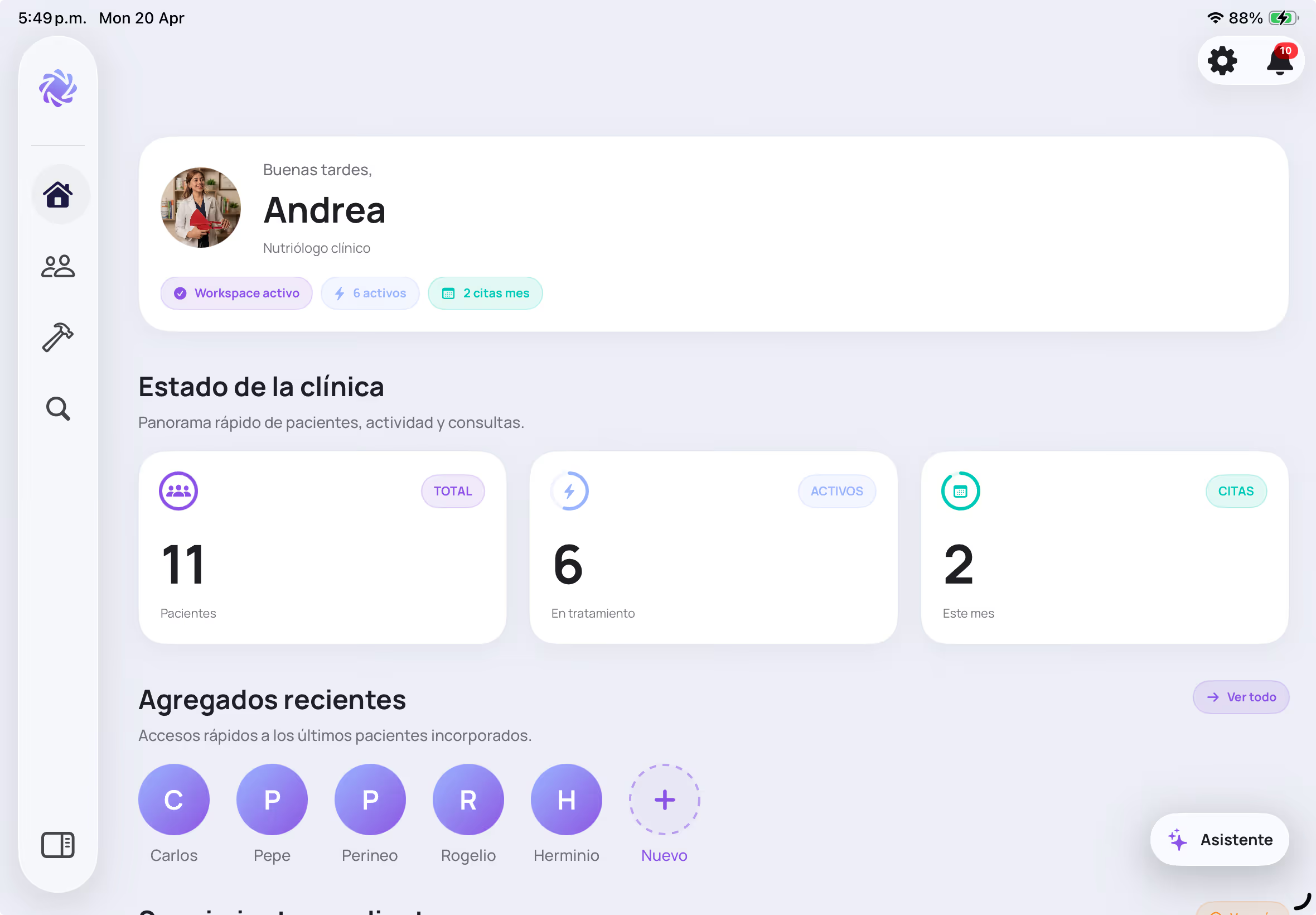
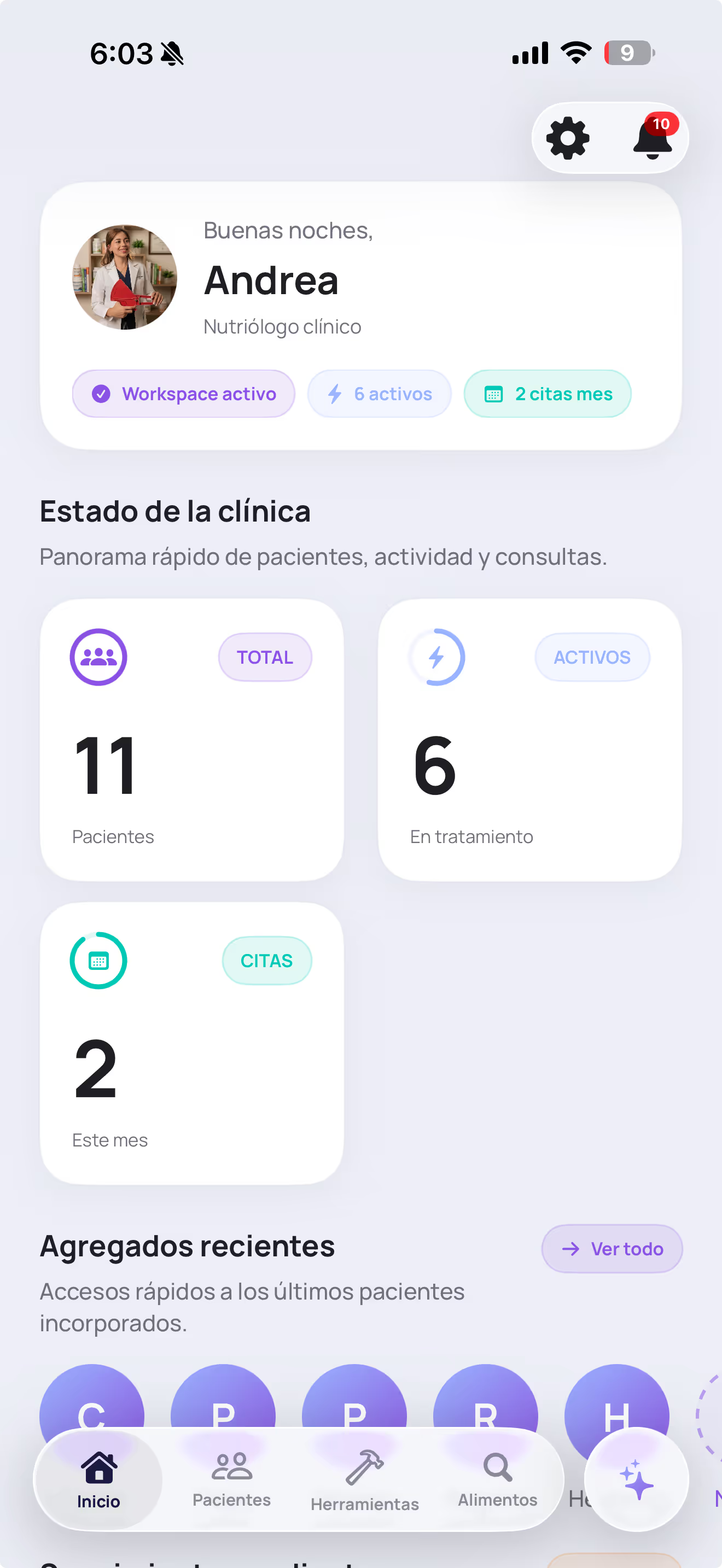
Centralize patients
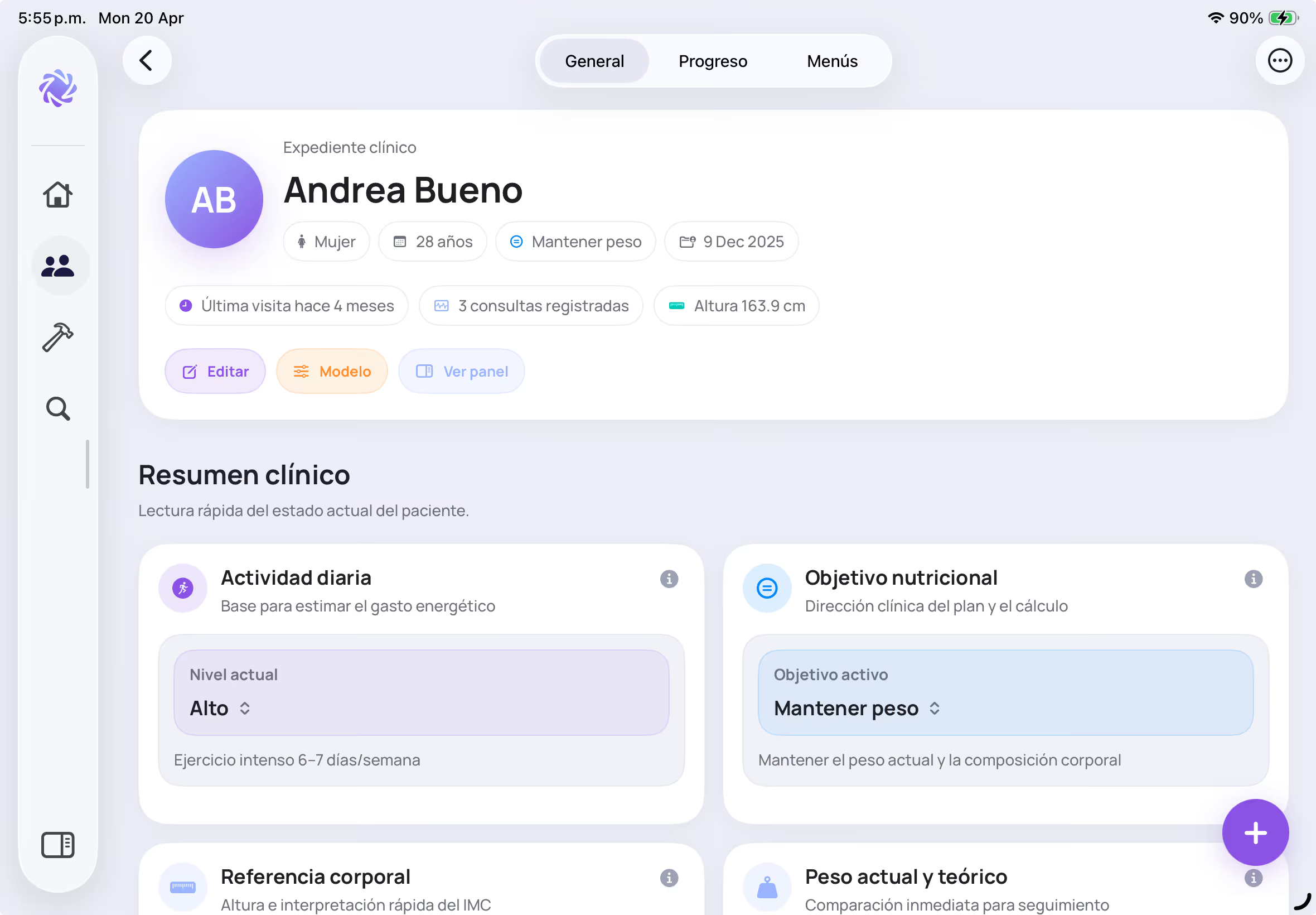
Create patients, review status, and record allergies, restrictions, notes, and consultations.
Manage patients, record measurements, calculate body composition, create SMAE-based plans, generate branded reports, and use AI assistance to move faster without losing professional control.
Built for nutrition professionals who want a more organized, faster, and more professional workflow while keeping clinical control.
7-day free trial on Pro monthly, if eligible
Designed for the Apple ecosystem.
A clearer, more professional nutrition consultation workflow.
Patients, consultations, allergies, restrictions, and notes in one organized flow
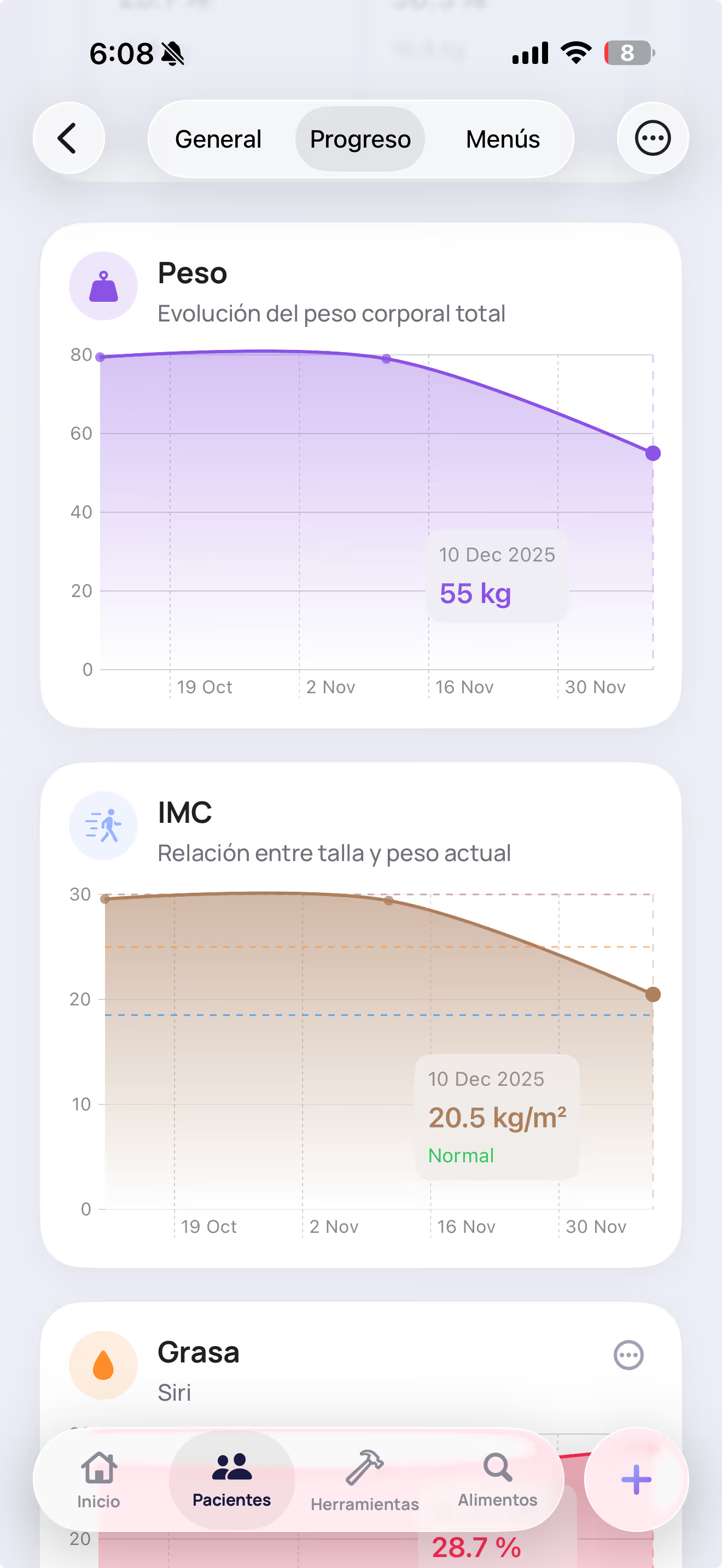
Measurements, body composition, target calories, and visual follow-up
SMAE plans, menus, branded reports, and AI assistance inside one product
Trust and product
Nutriply was built to centralize the nutrition consultation workflow with a modern iPhone and iPad experience, without relying on separate tools for records, progress, AI support, and final delivery.
See how Nutriply communicates responsible AI, data protection, and the role of INTRALABS behind the product.
Learn about Nutriply and INTRALABSThe problem
Spreadsheets, manual PDFs, scattered notes, repeated calculations, and hard-to-adjust menus make professional work lose continuity.
Integrated solution
The page now tells a clearer story: start with the patient, measure with structure, plan with SMAE, adjust with assistance, and deliver professional reports.
01
Create patients, review status, and record allergies, restrictions, notes, and consultations.
02
Record anthropometry, body composition, energy expenditure, and target calories.
03
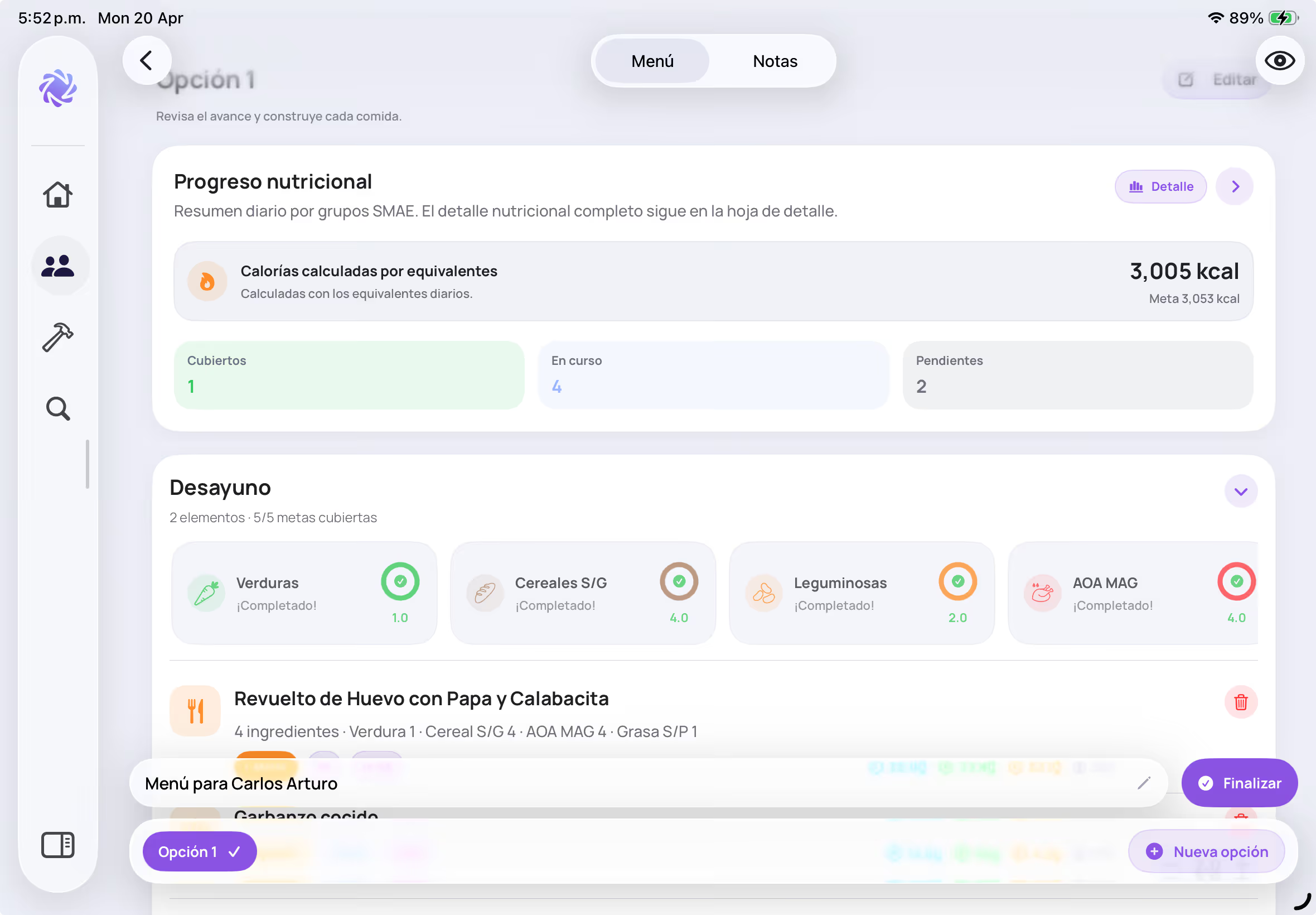
Distribute equivalents, macros, meals, and menu options with manual control.
04
Export reports, review progress, and adjust without losing patient context.
Main pillars
Nutriply is built for dietitians who need patients, measurements, plans, menus, and reports inside a professional workflow.
01
Organize patients, consultations, and clinical context without scattered notes.
02
Record measurements and calculate key indicators for clearer follow-up.
03
Create plans with equivalents, macronutrients, and multiple menu options.
04
Move faster with editable suggestions while keeping professional judgment in control.
05
Deliver plans and measurement reports with a more professional presentation.
Nutrition planning
Define calorie goals, distribute macronutrients, assign equivalents by day or meal, and build menus with reusable options.
Patient first
Work from data, restrictions, allergies, notes, and measurements so each plan stays connected to the consultation.
Expert mode
Distribute macronutrients by percentage or g/kg, use formulas for target calories, or define calories manually.
SMAE
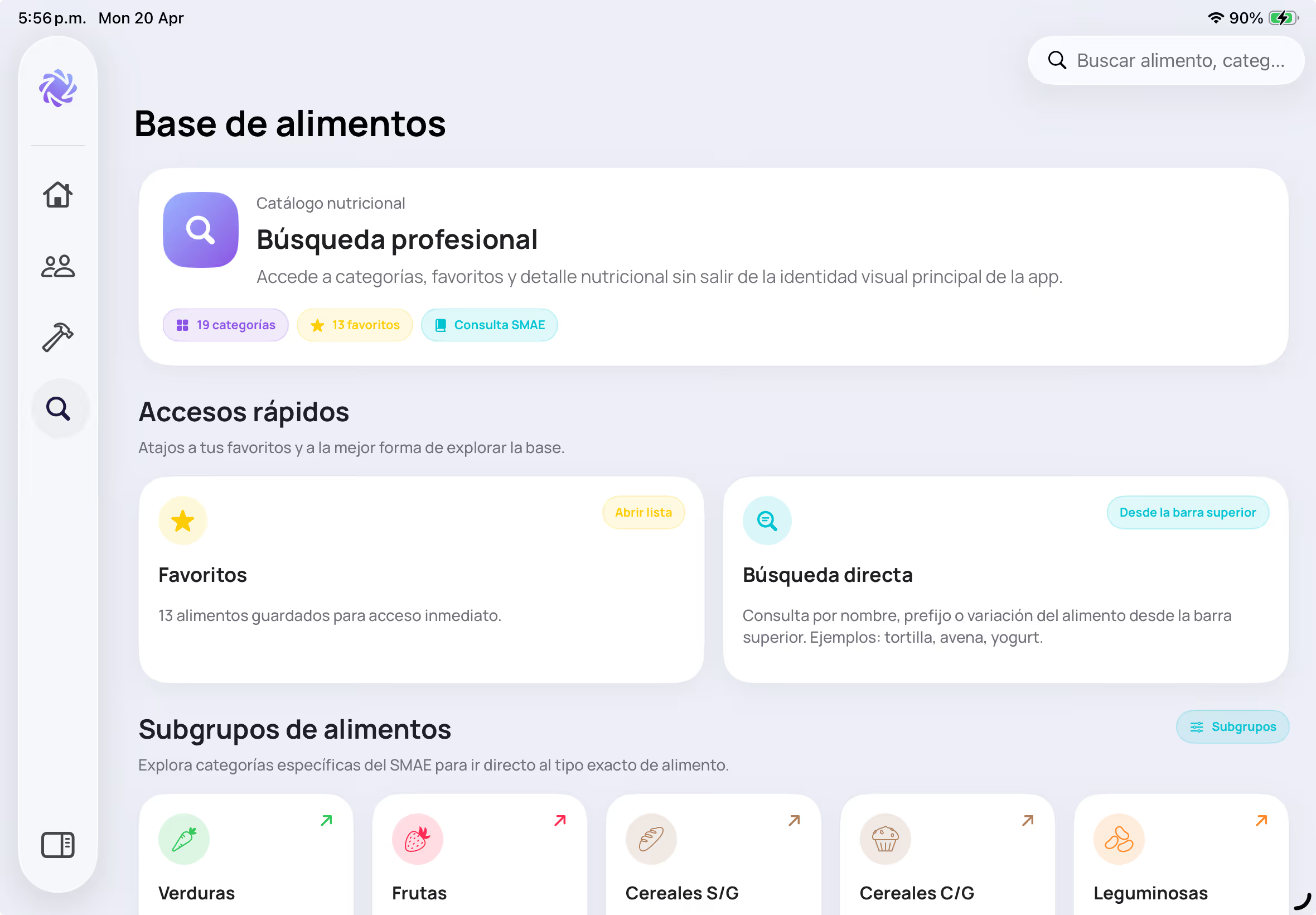
Review food data, nutrition information, and equivalents without leaving the planning workflow.
Templates
Add custom meals, rename each option, save menus as templates, and assign them to patients.
Professional reports
Reports turn consultation work into clear deliverables: measurements, nutrition plans, notes, and recommendations with a consistent presentation.
Vista previa PDF
Plan nutricional personalizado
Equivalentes por día
Tabla SMAE configurable
Opciones de menú
Comidas, horarios y notas
Add logo, brand color, custom notes, and recommendations to reinforce your professional identity.
Include daily equivalents, equivalents by meal, meal times, and menu options depending on each patient.
Review the PDF before sharing it to keep control over the content and final presentation.
AI with professional control
AI in Nutriply supports the dietitian. It can suggest distributions, meals, and adjustments, while the final review and edits stay in your hands.

Apple-first
Nutriply is designed to offer a modern, consistent experience across the Apple ecosystem, with a clearer flow for consultations, review, editing, and follow-up.
Consultation
A clearer experience for reviewing, explaining, and working with a stronger professional presence.
Follow-up
Keep patient information and context more connected between sessions.
Daily practice
Organize records, menus, and progress inside a modern flow designed for day-to-day work.
Professional tools
Secondary tools support specific consultation tasks while patients, measurements, plans, and reports stay central.
Calories and composition
Support BMR, TDEE, target calories, theoretical weight, and body composition calculations as part of professional work.
Recipes and foods
Review foods, equivalents, and nutrition information to create recipes and menu options with more context.
Pricing
MXN pricing with Free, Pro, and Studio plans for different practice volumes.
Choose the plan that matches your consultation volume and the level of support you need. Pro and Studio show monthly and annual pricing, and the free trial applies only to Pro monthly if you are eligible.
Free
Monthly
Ideal for trying Nutriply and getting to know the core workflow.
Annual
No cost
Pro
Monthly
For dietitians who want more structure, professional PDFs, and AI-assisted support.
Annual
$2,999 MXN
Studio
Monthly
Built for higher consultation volume, branding, and more complete reporting.
Annual
$5,499 MXN
Frequently asked questions
Quick answers to the questions that usually come up before starting a trial or switching from older nutrition software.
No. Nutriply is built for dietitians and nutrition professionals who manage patients, measurements, plans, menus, and reports.
No. AI-assisted features support menu creation and adjustment. Everything can be reviewed and manually edited.
Nutriply presents configurable anthropometric records with support for professional protocols such as ISAK 1 and ISAK 2.
Free is best for trying Nutriply. Pro works well for growing private practice, and Studio is better for professionals with higher consultation volume who need branding, reporting, and more AI support.
You can email support@getnutriply.com and you will usually receive a response within 24 to 48 hours.
Education and onboarding
Tutorials, NutriNews, and educational posts help professionals learn the product and strengthen their workflow, while the core remains consultation operations.
Nutriply tutorials
Guides to understand modules, flows, and ways to work with more structure.
NutriNews
Short updates and product education to stay current inside the app.
Educational posts
Supporting content for professionals who want to improve their practice and tools.
A practical review of creatine monohydrate, common dosing strategies, safety considerations, and when it may be useful.
What ketogenic eating really means, who may benefit, where the evidence is stronger, and what risks deserve attention.
A practical look at eating windows, realistic expectations, contraindications, and the questions worth asking in practice.